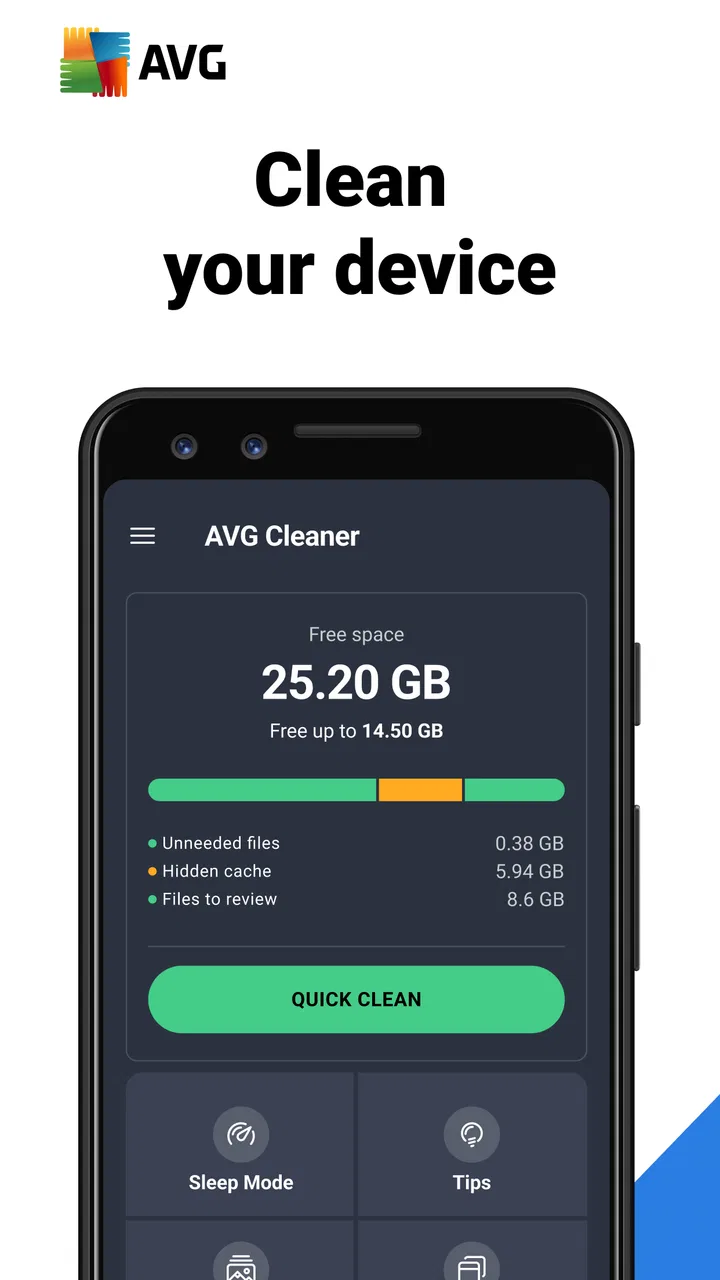
AVG Cleaner – Storage Cleaner
- 4.6
- Rating
- 100.00M
- Installs
- Free
- Price

 Analysis by App-foxy
When my Android phone starts warning me that storage is getting tight, I usually do not want a complicated maintenance project. I want to see what is taking space, remove obvious leftovers, and get back to normal use without deleting something important. That is the situation where AVG Cleaner – Storage Cleaner makes the most sense. It is a free productivity app from AVG Mobile, built around cleaning storage and helping you manage the clutter that quietly accumulates over time.
After using it, I see its main strength as organization rather than magic. It gives a more approachable route into storage cleanup than digging through several Android settings screens. The app is suitable for Everyone, runs on devices using Android 10 or later, and has reached over 50 million installs. Its average rating is 4.6 from around 1.9 million ratings, which suggests that many people find the basic cleanup workflow useful.
I would recommend it to someone who wants guidance before removing files, especially if the phone contains years of screenshots, downloaded images, duplicate-looking photos, and applications that are no longer used. I would be more cautious recommending it to a person who already manages storage manually or expects a cleaner to transform an old phone into a faster one in every situation. The difference between those two expectations matters throughout the experience.
You May Also Like

 Blood Strike: 2.5 Anniversary
Blood Strike’s Loadouts Turn Every Drop Into a Tactical Gamble
A close look at Blood Strike’s custom loadouts: how fast access to signature weapons reshapes its battle royale rhythm, rewards preparation, and narrows the gap between fights.

 Pandora - Music & Podcasts
Pandora’s Music Is Easy to Start, but Harder to Recover
Pandora’s strength is its low-effort path from a seed to a station. Its weak spot is how much confidence it asks you to place in connection, setup, and quiet recovery.

 8 Ball Pool
 Is Built on Rivalries, Rematches, and Routine
A close look at the rivalries, rematches, shared routines, and unanswered safety questions that turn a quick pool match into a persistent mobile community.

 Samsung Music
’s Quiet Strength Is Playing What You Already Own
Its reach comes less from spectacle than from dependable access to a personal library. That simplicity is both the app’s strongest retention engine and its ceiling.

 AccuWeather: Weather Radar
AccuWeather Review: A Quick, Clear Forecast for Everyday Decisions
For everyday plans, the best forecast is the one you can understand quickly. AccuWeather makes rain timing, radar, and local conditions easy to act on, with a few trade-offs.

 Hill Climb Racing
Why Hill Climb Racing Still Turns Crashes Into One More Run
A tiny car, a bumpy hill and one more upgrade: Hill Climb Racing keeps resurfacing because its simple chaos makes every near-miss feel personal.
More From Our News Desk
View All News


From a crowded phone to a manageable cleanup plan
I find the most useful next step is to make cleanup a shared decision rather than a race to free space: agree on what can be removed, and let the person who owns the phone make the final call on personal files. That simple boundary matters especially when several people use one device, because a forgotten download may belong to someone else. The following section looks at how to keep that distinction clear before a scan begins.
Starting with the real storage problem
The best way to use AVG Cleaner is to begin with a specific problem rather than pressing every cleanup option immediately. For example, if I am trying to install an update and the phone is nearly full, I first want to know whether the pressure comes from photos, videos, unused apps, temporary files, or downloads. A storage cleaner is valuable when it helps me make that decision, not simply when it presents a large amount of space that might be recoverable.
On a phone that has been used for a long time, the clutter is rarely one dramatic folder. It is usually a collection of small decisions I made weeks or months ago: a screenshot kept after sending it, a downloaded image saved again by another app, an old video that I forgot existed, or an application installed for a single occasion. AVG Cleaner is particularly useful for bringing those scattered items into one review process.
I also like approaching the first scan as an inspection rather than a command. The app’s store summary focuses on removing hidden junk from storage, but I would not treat every suggested item as disposable by definition. “Hidden” can mean easy-to-overlook clutter, yet a file can still be personally important even if it is not used often. My habit is to examine categories and previews, then clean in stages.
Scanning before making a decision
The first handoff is from the phone’s storage to the app’s analysis. That handoff is useful because Android’s own storage screens tend to show broad categories, while a dedicated cleaner is designed to turn those categories into actions. I can move from a general warning about low space toward a shortlist of areas worth checking.
This is where the app feels more approachable than a file manager. A file manager gives me control, but it also makes me responsible for knowing where everything lives. AVG Cleaner offers a guided route for people who recognize that their phone is crowded but do not want to investigate every folder manually. For a family member who often postpones cleanup because the process feels technical, that difference can be more important than advanced controls.
The practical tip I found most useful is to scan at a calm moment, not while I am urgently trying to free space for an installation. A rushed cleanup encourages broad selections and accidental deletions. If I scan earlier, I can leave questionable files alone and return later after deciding what I actually need. This turns the app from an emergency button into a regular storage check.
Reviewing suggestions instead of trusting them blindly
The next handoff is from analysis to judgment. AVG Cleaner can point me toward likely clutter, but only I know whether a file has sentimental value, work relevance, or a future use. That means the app works best as a filter and organizer, not as a substitute for personal review.
I pay special attention to photos and screenshots. A screenshot may look disposable because it is visually ordinary, but it might contain a booking reference, a receipt, an address, or a conversation I still need. The same is true for downloaded images. Before cleaning, I open representative items and ask whether I could recreate them easily. If the answer is no, I keep them or move them elsewhere first.
This is also a good place to separate “not recently used” from “not needed.” An app can be inactive because I only use it during travel, tax season, school terms, or occasional repairs. Removing it may free space, but it can also create friction later if I need to reinstall it, sign in again, or remember its setup. I treat unused-app suggestions as a prompt for a decision, not an automatic approval.
Cleaning in small, reversible-looking stages
Once I have reviewed the recommendations, I prefer a staged workflow. I start with items that are clearly expendable, then reassess the storage situation before moving to personal files or applications. This approach gives me a clearer handoff between each action: first obvious clutter, then larger files, then optional apps.
A useful everyday scenario is a phone used for family photos and messaging. Suppose I have accumulated screenshots from group chats, repeated images, and several large videos. I would begin by checking the suggested clutter, then inspect the photo-related groups carefully, keeping anything connected to family memories or practical information. Only after that would I consider an old application. The goal is not to maximize the deletion total; it is to recover useful space with the least regret.
Another scenario is preparing for a trip. Travel often creates temporary storage pressure through maps, tickets, photos, and entertainment downloads. In that situation, I would clean before leaving, not during the trip. I would also avoid deleting anything connected to reservations or offline access. A cleaner can help locate candidates, but the timing and context still belong to me.
The safest habit is to judge the value of a file before judging its size. Large files are tempting targets, but a small document can matter more than a large video. AVG Cleaner helps surface possibilities; it does not know my priorities.
Understanding what the cleanup can and cannot change
After cleaning, the immediate result is usually easier storage management. I may have more room for an update, a new photo, or an application. The phone can also feel less chaotic because I have removed items I no longer need. That is a worthwhile outcome, especially on devices where storage pressure regularly interrupts normal use.
However, I would not promise a universal speed boost. Freeing storage can make a device easier to maintain, but it does not replace a battery replacement, a system update, or a hardware upgrade. If an application is slow because of its own network connection or heavy processing, deleting unrelated clutter will not solve that problem. AVG Cleaner is strongest when the problem is storage organization, not when every performance issue is blamed on junk files.
This distinction also answers an important question: should I use it every day? In my experience, daily cleaning is unnecessary for most people and can become distracting. A periodic review is more sensible, particularly after a holiday, a long messaging history, or a period of downloading media. The app is more valuable when it supports a deliberate routine than when it encourages constant optimization.
Where the handoffs become less comfortable
The biggest friction appears when the app’s suggestions meet my personal uncertainty. A cleaner can group files efficiently, but grouping does not remove the need to check them. If I have a disorganized photo library, the review stage may still take time. In fact, the more personal content I store, the more important that review becomes.
There is also a trade-off between convenience and control. A guided cleaner is easier than manually browsing storage, but a file manager may be better for someone who wants exact folder-level decisions. Android’s built-in storage tools can also be enough for users who only need to uninstall a large app or inspect broad categories. I see AVG Cleaner as the middle option: more guided than manual management, but still dependent on the user’s judgment.
People who are uncomfortable with cleanup recommendations should move slowly and avoid treating the main action as a shortcut. People who need a precise archival workflow may prefer a dedicated file manager or a cloud-storage process first. And anyone expecting a deep system-tuning tool should adjust expectations; this app’s identity is centered on storage cleaning and organization.
Version, cost, and the practical commitment
The current version is 26.01.0, and the app is free to install. That makes it easy to try the workflow without committing money at the start. It also carries in-app purchases ranging from $1.49 to $39.99 per item, so I would check which parts of the experience are included before assuming that every option belongs to the free layer.
The free entry point is useful because storage problems vary widely. Someone may only need an occasional scan, while another person may want more frequent assistance. I would decide based on how much control and convenience I actually use, rather than paying simply because the phone displayed a warning. If the basic workflow already helps me identify and remove safe clutter, that may be enough.
AVG Mobile is a familiar developer name in mobile security and utility software, but I still judge this particular app by its storage workflow. A recognizable developer does not change the need to review files carefully. The app’s age rating of Everyone also makes it broadly approachable, though an adult should still guide a child or inexperienced user before personal photos and downloads are removed.
Who gets the most value from this workflow
I think AVG Cleaner is a good fit for people who take many photos, receive a lot of media through messaging apps, install applications temporarily, or find Android’s storage menus confusing. It is especially helpful for users who know they have clutter but cannot easily identify where it is. The guided presentation reduces the first barrier: figuring out what deserves attention.
It is also useful for someone helping another person maintain a phone. Instead of explaining every storage location, I can use the app’s categories as a conversation starter: these are the files to inspect, these applications have not been useful lately, and these items may be safe to remove. The final choice still needs to belong to the phone’s owner, particularly when personal memories or documents are involved.
I would skip it if I already keep a carefully organized device, regularly archive photos, and understand Android’s built-in storage controls. I would also look elsewhere if my main concern is advanced file operations, detailed backups, or diagnosing a hardware-related slowdown. In those cases, a file manager, backup service, or system diagnostic tool may fit the job better than a cleaner.
My final view after following the complete process
AVG Cleaner – Storage Cleaner succeeds when I use it as a guided inspection tool: start with a real storage problem, scan for candidates, review the handoff from suggestion to deletion, and clean only what I understand. Its value is not that it makes every decision for me. Its value is that it makes the hidden mess visible enough for me to make better decisions.
The app is free, widely used, and focused on a common Android frustration. I appreciate that it can make storage maintenance less intimidating, while its main limitation is equally clear: convenience does not eliminate responsibility. Personal files still need personal judgment, and no cleaner can guarantee that removing clutter will fix unrelated performance problems.
If your phone repeatedly fills up and you want a guided way to find forgotten storage, I think it is worth trying. Start with obvious clutter, inspect anything personal, and stop once the original problem is solved. If your needs are more technical or archival, choose a tool that offers deeper file control instead. For everyday storage housekeeping, though, AVG Cleaner – Storage Cleaner offers a practical balance between automation and user oversight.
FAQs for AVG Cleaner – Storage Cleaner
01What is AVG Cleaner and what does it do?
AVG Cleaner is a powerful application designed to optimize your device's performance by cleaning unnecessary files, cache, and redundant data. It helps to free up storage space, manage apps, and extend battery life. By removing junk files and optimizing processes, it ensures your device runs smoothly and efficiently.
02Is AVG Cleaner safe to use on my device?
Yes, AVG Cleaner is safe to use. It is developed by AVG Technologies, a reputable company known for its security software. The app is designed to perform optimizations without compromising your device’s functionality or data. Always ensure you download it from a trusted source like the Google Play Store or Apple App Store.
03Does AVG Cleaner really improve battery life?
AVG Cleaner can help improve battery life by identifying and stopping apps that consume excessive power. It optimizes processes running in the background and suggests tweaks to enhance battery efficiency. While results may vary based on device usage, many users report noticeable improvements in battery performance.
04Can AVG Cleaner help with app management?
Yes, AVG Cleaner aids in app management by identifying rarely used apps and providing recommendations for their removal. It categorizes apps based on usage and storage consumption, helping you make informed decisions about which apps to keep and which to uninstall to free up space.
05Is AVG Cleaner free to use, and are there any premium features?
AVG Cleaner is available as a free app, offering basic cleaning and optimization features. However, it also offers a premium version with additional features such as advanced app management, automatic cleaning, and deeper insights into storage usage. The premium version requires a subscription for access to these enhanced functionalities.
Pros
- User-friendly interface
- easy navigation.
- Efficient junk file removal boosts speed.
- Customizable cleaning options available.
- Battery saver extends device life.
- Automatic cleaning schedules simplify maintenance.
Cons
- Limited features in the free version.
- Occasional ads can be intrusive.
- May consume battery during scans.
- Some features require in-app purchases.
- Cleaning process can be slow sometimes.

AVG Cleaner – Storage Cleaner
Gallery